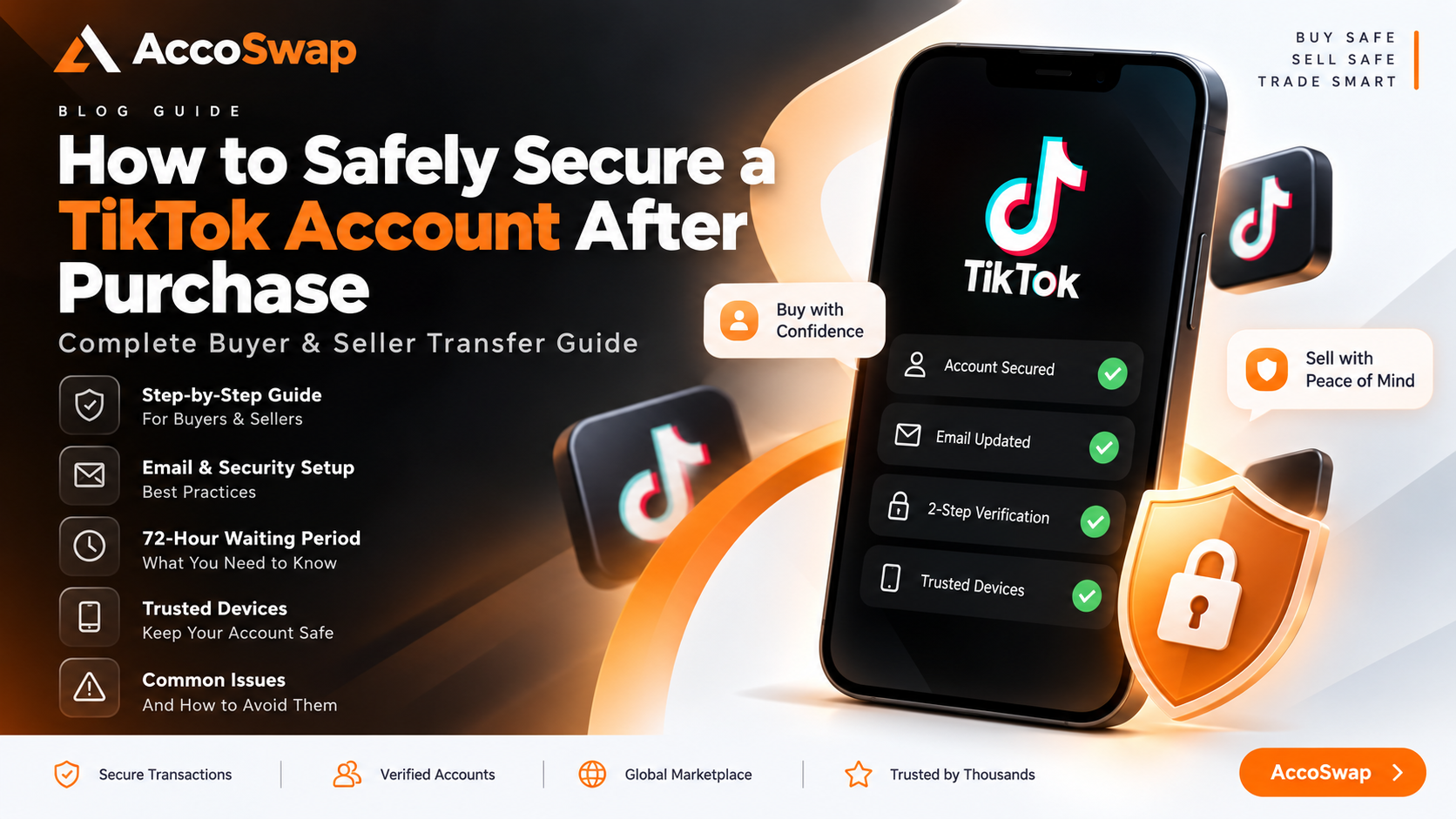
How to Safely Secure a TikTok Account After Purchase: Buyer & Seller Transfer Guide
Buying or transferring a TikTok account is not simply a matter of receiving a username and password and changing everything immediately. When an account is accessed from a new device, TikTok may apply additional security checks before certain account and security settings can be changed.
Because of this, buyers and sellers should not rush the security process immediately after the buyer logs in. Trying to change the email, password, two-step verification, or other security information too quickly can sometimes result in additional restrictions or delays.
At AccoSwap, the purpose of the escrow process is to make the transfer as safe and smooth as possible for both the buyer and seller. The buyer needs enough time to access and secure the account, while the seller needs to make sure the account remains safe during the transfer.
This guide explains the complete process from the initial login to the final account security setup. It also explains what both parties should do if the email cannot be changed, the buyer gets logged out, TikTok shows a "Too Many Attempts" message, or the account still requires additional time after the 72-hour waiting period.
Important: Understanding the 72-Hour Security Period
The 72-hour period used during an AccoSwap transfer should not be understood as an official TikTok guarantee that every account will become fully changeable exactly after 72 hours.
TikTok can apply different security checks depending on the account, device, login activity, verification attempts, and other platform-side factors.
The 72-hour period is a practical AccoSwap security procedure used during the account transfer. It gives the buyer's new device time before the buyer starts making major security changes.
Many accounts can be secured normally after this waiting period, but some accounts may require additional time because of TikTok-side restrictions or other security checks.
For this reason, buyers and sellers should not assume that something is wrong simply because 72 hours have passed and a particular security setting is still unavailable.
The most important rule is: do not repeatedly try to change security information while the restriction is still active.
1. Seller Provides the Login Details
Once the transaction reaches the appropriate stage in AccoSwap Escrow, the seller provides the buyer with the required account login details.
The buyer should use the credentials provided by the seller and complete the normal TikTok login process.
TikTok may ask for an OTP or another verification code when the account is accessed from a new or unrecognized device.
The seller should cooperate with the buyer during this initial login process and provide the required verification when necessary.
The main goal at this stage is simply to make sure that the buyer can successfully access the account. The buyer should not immediately start changing the password, email, two-step verification, or other security information as soon as the account opens.
2. Buyer Logs Into the Account
After receiving the login details, the buyer should log into the TikTok account from the device that will be used to manage the account going forward.
If TikTok asks for a verification code, the buyer and seller should complete the verification normally.
Once the buyer successfully enters the account, the buyer should first make sure that the account is working normally.
There is no need to immediately change every security setting. The account has just been accessed from a new device, so it is better to allow the new login to settle before making major security changes.
3. Seller Should Add the Buyer's Email When Possible
If the account is still connected to the seller's email, the preferred approach is for the seller to add or change the email to the buyer's email when TikTok allows the change.
The seller should go to the TikTok account information and email settings and follow the options shown by TikTok.
Depending on the current TikTok interface, the email section can normally be accessed through:
Profile → Menu ☰ → Settings and privacy → Account → Account Information → Email
TikTok may require verification of the existing email before allowing the new email to be added.
After that, a verification code may be sent to the buyer's email. The buyer should provide the required OTP to the seller so the email-change process can be completed.
If the email changes successfully, there is no need to repeat the process.
4. Seller Should Check Security and Trusted Devices
After the buyer successfully logs in, the seller should make sure that the required security verification remains available during the initial transfer.
TikTok's security settings are generally available under:
Profile → Menu ☰ → Settings and privacy → Security & permissions
The seller can review the available security and device-management options from there.
Where TikTok provides a trusted or recognized device option, the buyer's newly used device can be recognized or added where appropriate. The important point is that the seller should not repeatedly remove and add devices or keep changing security settings.
5. What If the Seller Cannot Add the Buyer's Email?
Sometimes the seller may try to change the email and TikTok may show an error.
The email may not change on the first attempt, or TikTok may temporarily restrict the action because of recent activity or verification attempts.
This does not necessarily mean there is a permanent problem with the account.
The first thing to remember is: do not keep trying repeatedly.
If the first attempt does not work, the seller can close the TikTok application, reopen it, and check the email settings again.
If TikTok provides an Unlink option and the account allows the existing email to be removed, the seller may use the available unlink option and then try adding the buyer's email.
However, this should not become a repeated process. If TikTok starts showing a "Too Many Attempts" or similar message, the seller should stop trying.
6. If the Buyer's Email Cannot Be Added
If the buyer's email cannot be added during the initial setup, the transfer does not necessarily need to stop.
The buyer can use the email and password provided by the seller and log into the account normally.
The seller can keep the required verification available and, where applicable, make sure the buyer's device is recognized under the available device-management settings.
The buyer can then continue using the account normally and complete the account security changes after the waiting period.
The important thing is to avoid repeatedly attempting the email change. Trying the same email change again and again can create a security restriction and may make it harder for the buyer to log into the account.
7. Buyer Confirms Successful Login on the AccoSwap Escrow Page
Once the buyer has successfully logged into the account, the buyer should go back to the AccoSwap Escrow page.
The buyer should confirm there that the account has been successfully accessed.
Once the buyer confirms the successful login on the Escrow page, the 72-hour AccoSwap security timer starts.
This is an important step. The buyer should read the instructions displayed on the Escrow page and follow them during the waiting period.
8. What the Buyer Can Do During the 72 Hours
During the 72-hour waiting period, the buyer can normally use the account. For example, the buyer may use the account normally and post content where appropriate.
The important restriction is related to security changes, not normal account usage.
The buyer should not change:
- Email address
- Password
- Two-step verification
- Authenticator settings
- Recovery information
- Security settings
- Trusted-device settings
- Other important login or security information
The buyer should allow the complete 72-hour timer to finish before making these changes.
9. Do Not Test Security Changes Before the Timer Finishes
One of the most common mistakes is trying to test a security change before the timer has finished.
For example, if the buyer has already waited 48 hours, they may think: "I will just try changing the email once and see if it works."
This is not recommended.
If the restriction is still active, the attempt may create another restriction or reset the waiting period.
The same applies to changing the password, two-step verification, recovery information, or other security settings.
Do not test the security settings early. The safest approach is to allow the full waiting period to finish and then begin the security setup.
10. What Happens If the Buyer Gets Logged Out?
Sometimes a buyer may be logged out of the account during the waiting period. A normal logout does not automatically mean there is a problem with the account or transaction.
If this happens, the buyer should first use the same existing email and password that were already provided.
The buyer should not immediately use the password-reset option simply because the account was logged out.
The buyer should also avoid changing the email or other security information during the waiting period.
If the buyer successfully logs back in using the existing credentials, they should simply continue using the account normally and allow the security timer to continue.
11. Seller Should Not Continue Accessing the Account
Once the buyer has successfully logged into the account and confirmed the login on the AccoSwap Escrow page, the seller should stop unnecessary access to the account.
The seller should not:
- Repeatedly log into the account
- Reset the password
- Change the email
- Change security settings
- Change two-step verification
- Remove the buyer's device
- Repeatedly request OTP codes
- Make unnecessary account changes
The buyer is now taking control of the account.
The seller should allow the buyer's device to remain active and should avoid additional activity that could create more security checks.
12. What If the Seller Gets Logged Out?
If the seller becomes logged out after the buyer has already successfully accessed the account, the seller should not repeatedly try to log back in.
The seller should not reset the password simply because the session has ended.
The seller should also not make additional security changes.
The buyer is responsible for securing the account after the waiting period, while the seller should allow the transfer to proceed without unnecessary activity. This helps reduce unnecessary login activity from multiple devices.
13. What to Do If TikTok Shows "Too Many Attempts"
A "Too Many Attempts" message can appear after too many recent login, verification, OTP, or security attempts.
If this happens, stop trying.
Do not continue submitting login attempts every few minutes. Do not repeatedly request new OTP codes. Do not repeatedly try to change the email or password.
Continuing to make attempts while the restriction is active can create additional delays.
Buyer Should:
- Stop repeatedly trying to log in.
- Stop repeatedly requesting OTP codes.
- Do not reset the password.
- Close the TikTok application.
- Clear the application cache if appropriate.
- Reinstall the application if necessary.
- Wait before trying again.
Seller Should:
- Stop attempting to log into the account.
- Do not reset the password.
- Do not change the email.
- Do not change security settings.
- Do not repeatedly request verification codes.
- Do not repeatedly test whether the account is working.
14. The 24-Hour Cooldown for Too Many Attempts
When the account is showing a repeated-attempt restriction, the buyer and seller should leave the account alone for at least 24 hours before trying again.
During this cooldown, both parties should avoid generating new login or security attempts.
The buyer can close the TikTok application and, if necessary, clear the cache or reinstall the application. However, reinstalling the application does not mean the buyer should immediately try logging in again.
The important part is to allow the account time without additional attempts.
After the cooldown period, the buyer can try logging in again using the correct existing credentials.
The 24-hour period is a practical cooldown recommendation and is not a guarantee that every TikTok restriction will automatically disappear exactly after 24 hours.
15. Why Repeated Attempts Can Cause More Delay
If TikTok is already restricting an account and the buyer or seller continues trying, the situation can become more difficult.
For example, if the buyer tries to log in repeatedly, requests several OTP codes, resets the password, and then tries changing the email, the account may receive many security-related attempts within a short period.
This does not make the restriction disappear faster.
Instead, it can lead to:
- Additional security restrictions
- More OTP requests
- Login problems
- Email-change errors
- Longer waiting periods
- Additional verification
- Possible temporary account restrictions
This is why stopping and waiting is often the safer option.
16. The 72 Hours Are Not an Official TikTok Guarantee
This point is very important for both buyers and sellers.
The 72-hour timer used by AccoSwap is a practical security procedure for the transfer process. It is not an official TikTok guarantee that every account will become fully changeable exactly after 72 hours.
TikTok may apply different security checks depending on the account, device, login history, verification activity, and other platform-side factors.
Therefore, buyers and sellers should not assume that every account will be fully secured immediately when the timer reaches zero.
Many accounts can proceed normally after the waiting period, but some accounts may require additional time.
If a security change is still unavailable after 72 hours, do not repeatedly try to force it. Allow additional time and follow the security process carefully.
17. What Happens After the 72-Hour Timer Ends?
Once the full 72-hour AccoSwap timer has expired, the buyer can begin securing the account.
The buyer should complete the security setup carefully rather than trying to change everything at the same time.
A practical order is:
- Confirm or change the buyer's email.
- Change the account password.
- Enable two-step verification.
- Set up an authenticator if desired and available.
- Review trusted devices.
- Remove unfamiliar devices.
- Review the remaining security options.
18. Change or Add the Buyer's Email
If the buyer's email was not added earlier, the buyer can now change or add their own email.
The buyer should go to the TikTok account settings and open the email or account information section.
Depending on the current TikTok interface, the path is generally:
Profile → Menu ☰ → Settings and privacy → Account → Account Information → Email
TikTok may require verification of the existing email before allowing the new email to be added.
If an OTP is sent to the seller's existing email, the buyer can request the required code from the seller.
After the existing email has been verified, TikTok may request the buyer's new email.
The buyer should enter their own email and complete the OTP verification sent to that email.
Once the new email is successfully verified, the buyer can continue with the remaining security steps.
19. Change the Account Password
After the buyer controls the email and the waiting period has finished, the buyer should change the account password.
The new password should be strong and unique. It should not be reused on other websites or social media accounts.
The buyer should keep the new password secure and should not share it unnecessarily.
Changing the password is an important part of taking full control of the account. However, the password should only be changed after the appropriate waiting period and once TikTok allows the change normally.
20. Enable Two-Step Verification
After the email and password are under the buyer's control, the buyer should enable Two-Step Verification.
TikTok provides security settings under the account's Security & permissions section.
Depending on the account and available options, TikTok may provide different verification methods.
The buyer can use the methods available for the account, such as:
- Phone
- Password
- Authenticator
If an authenticator option is available, the buyer can use an authenticator application such as Google Authenticator or Microsoft Authenticator.
TikTok may provide a QR code or setup key. The buyer can scan the QR code or enter the setup key into the authenticator application and then enter the generated verification code back into TikTok.
The buyer should make sure the authenticator is working correctly before considering the security setup complete.
21. Review Trusted Devices
After setting up the buyer's security methods, the buyer should review the devices connected to the account.
TikTok provides device-management options under the account's security settings.
The buyer should carefully review the devices shown there.
If the buyer sees a device that they do not recognize or no longer want connected to the account, they can remove it where TikTok provides that option.
The buyer should be careful not to remove their own current device accidentally.
Only unfamiliar or unnecessary devices should be removed. The goal is to leave the buyer's own device active while removing devices that should no longer have access.
22. Buyer and Seller Should Communicate During the Transfer
Good communication between the buyer and seller makes the transfer much easier.
If an unexpected issue occurs, the buyer should inform the seller instead of repeatedly trying different security changes.
Similarly, the seller should update the buyer if a required verification step cannot be completed.
Both sides should understand that some security restrictions are controlled by TikTok and cannot simply be removed manually by AccoSwap.
If there is a genuine problem during the transfer, the buyer and seller can contact AccoSwap support and provide an update. The important thing is to avoid taking independent actions that could create additional security restrictions.
23. AccoSwap Cannot Force TikTok to Remove a Security Restriction
AccoSwap provides the escrow and transaction process, but TikTok controls its own account security system.
If TikTok applies a security restriction, AccoSwap cannot simply remove or bypass that restriction from its side.
The buyer cannot force it. The seller cannot force it. AccoSwap cannot manually force TikTok to remove it.
This is why trying to bypass the restriction or repeatedly testing the account is not recommended.
The safer approach is to follow the process and allow TikTok's security system enough time to complete its checks.
24. What If the Account Still Cannot Be Secured After 72 Hours?
If 72 hours have passed and a particular security setting is still unavailable, do not immediately assume that the transaction has a problem.
TikTok may still have an active security restriction.
For example:
- If the email cannot be changed, do not repeatedly click the email-change option.
- If the password cannot be changed, do not repeatedly submit password changes.
- If Two-Step Verification cannot be enabled, do not repeatedly turn it on and off.
Instead, allow additional time and try again later.
Some accounts can take longer than the normal waiting period because of platform-side security checks.
If the issue continues, the buyer and seller can contact AccoSwap support and provide an update.
25. Why Waiting Is Better Than Rushing
A buyer naturally wants to secure the account as soon as possible. A seller may also want the transaction completed quickly.
However, trying to force the process can sometimes create a much longer delay.
For example, a buyer may repeatedly try to change the email before the security period has finished. If TikTok rejects the change, the buyer may try again several times. This can create more security attempts and potentially cause another restriction.
Instead of saving time, the buyer may end up waiting much longer.
That is why following the correct steps from the beginning is important. A controlled waiting period is much better than creating a security problem that requires additional time to resolve.
26. Final Buyer Checklist
Before considering the account fully secured, the buyer should make sure the following steps have been completed.
After Receiving the Account
- Log in using the seller's provided credentials.
- Complete the required verification.
- Make sure the account opens normally.
- Go to the AccoSwap Escrow page.
- Confirm that you have successfully logged into the account.
- Allow the 72-hour security timer to complete.
- Use the account normally during the waiting period if needed.
- Do not change security information during the waiting period.
- If logged out, use the existing credentials to log back in.
- Do not repeatedly request OTP codes.
- Do not reset the password during the waiting period.
After the 72-Hour Period
- Add or change the buyer's email.
- Change the account password.
- Enable Two-Step Verification.
- Set up an authenticator if desired and available.
- Review trusted devices.
- Remove unfamiliar devices.
- Review the account's security settings.
- Make sure the buyer controls the important recovery information.
- Confirm that the account is fully secured.
- Update the AccoSwap Escrow page after securing the account.
27. Final Seller Checklist
The seller should also follow the correct process throughout the transfer.
Before the Buyer Logs In
- Provide the correct login details.
- Keep the required verification method available.
- Assist with the buyer's initial login.
- Add or change the buyer's email when possible.
- Help with the required verification codes.
- Recognize or add the buyer's device where the available TikTok settings allow it.
After the Buyer Successfully Logs In
- Do not repeatedly log into the account.
- Do not reset the password.
- Do not change the email.
- Do not change Two-Step Verification.
- Do not remove the buyer's device.
- Do not repeatedly request OTP codes.
- Do not make unnecessary security changes.
- Allow the buyer to complete the waiting period.
If a restriction occurs, stop repeated attempts and allow the appropriate cooldown period.
28. Do Not Try to Make the Process Faster
There is no safe shortcut that guarantees a TikTok account can be fully secured immediately after purchase.
If TikTok has placed a security restriction on the account, repeatedly trying different methods is not a reliable way to make it disappear faster.
In fact, repeated attempts can create additional restrictions.
The safest approach is to follow the correct process from the beginning.
The buyer should log in normally.
The buyer should confirm the successful login through the AccoSwap Escrow page.
The buyer should allow the waiting period to complete.
The seller should stop unnecessary access after the buyer has successfully logged in.
After the waiting period, the buyer should secure the account step by step.
If TikTok requires additional time, both sides should allow that additional time.
29. Safe Transfer Is More Important Than Fast Transfer
At AccoSwap, the purpose of the escrow process is not simply to make an account transfer happen as quickly as possible.
The purpose is to make the transaction safe and secure for both sides.
The buyer needs to receive the account safely and gain control of its important security information.
The seller needs to transfer the account without unnecessary risk.
The buyer's payment should remain protected through escrow while the transfer is being completed.
The seller should receive the payment safely once the transaction requirements have been completed.
Because of this, waiting for a platform-side security restriction to clear is much better than rushing the process and potentially creating a larger problem.
A few extra hours of waiting can be far better than creating a restriction that results in several additional days of delay.
30. Final Advice for Buyers and Sellers
A safe TikTok account transfer is a process, not an instant change.
The best way to avoid unnecessary delays is to follow the correct steps from the beginning.
The buyer should log in using the provided credentials, complete the required verification, confirm the successful login on the AccoSwap Escrow page, and allow the 72-hour security period to complete before making major security changes.
During this period, the buyer can normally use the account, but should avoid changing the email, password, Two-Step Verification, recovery information, trusted devices, or other security settings.
The seller should cooperate during the initial login and email setup, but once the buyer has successfully accessed the account, the seller should avoid unnecessary logins, password resets, email changes, and other security activity.
If a "Too Many Attempts" restriction appears, both parties should stop trying and allow a proper cooldown period instead of repeatedly testing the account.
The 72-hour period is an AccoSwap practical security procedure, not an official TikTok guarantee. Some accounts may require additional time because of TikTok-side security checks or restrictions.
If the account is not fully secured exactly after 72 hours, buyers and sellers should not panic or assume that the transaction has failed. Allow additional time, avoid repeated attempts, communicate with each other, and contact AccoSwap support if there is a genuine issue.
AccoSwap cannot manually bypass or remove a TikTok security restriction. The safest approach is to follow the correct steps and allow the platform enough time to complete its security checks.
The purpose of the process is to protect both parties.
The buyer should receive the account safely.
The seller should transfer the account safely.
The buyer's payment should remain protected through escrow.
The seller should receive payment safely once the transaction is completed.
Most importantly, buyers and sellers should understand that rushing the security process can sometimes create more delay instead of saving time.
The safest approach is to follow the correct steps from the beginning, avoid unnecessary attempts, communicate with each other, and remain patient when a platform-side security restriction requires additional time.
The goal is not simply to complete the transfer quickly. The goal is to complete it safely and securely.
Once the buyer has successfully secured the account, the buyer should confirm the completed security setup through the AccoSwap Escrow page. The seller should also provide the required confirmation from their side.
After the required steps have been completed and both sides have confirmed the transfer, AccoSwap can proceed with completing the transaction according to the escrow process.
Following the correct process from the beginning is the best way to avoid unnecessary delays and make a TikTok account transfer smoother, safer, and more secure for everyone involved.
On Accoswap
Ready to act on this guide?
Tags: